Introduction
Kubernetes interviews test whether you can run real workloads, not whether you can recite definitions. The questions below are the ones that actually come up — grouped from fundamentals to troubleshooting — with model answers that show the reasoning an interviewer is listening for. Use them with our Kubernetes Tutorial for Beginners if any concept is new, and with the CKA Certification Guide 2026 if you want the hands-on exam that proves the same skills.
Version note (26 Nov 2026): the current Kubernetes minor is 1.37; 1.38 was planned for 16 December 2026. Answers below are written against 1.37 behaviour. If you are interviewed after a new release, check the release notes for anything that changed — the concepts move slowly, the defaults occasionally do not.
Fundamentals: Pods, Containers and Workloads
What is Kubernetes, in one sentence? An open-source platform that automates deploying, scaling and managing containerised applications across a cluster of machines. The one-sentence answer is the warm-up; the follow-up is always “and what problem does it solve?” — the answer is that containers alone do not schedule themselves, restart themselves, or find each other on a network, and Kubernetes provides all three.
What is a Pod? The smallest deployable unit in Kubernetes: one or more containers that share a network namespace and storage, and are always scheduled together on the same node. A Pod usually holds one container; the exceptions are sidecars, such as a logging or proxy container that must live and die with the main container. Pods are ephemeral by design — you never repair a Pod, you replace it.
What is the difference between a Pod and a container? A container is a single running process in an isolated filesystem; a Pod is Kubernetes’ wrapper around one or more containers, giving them a shared IP address, shared volumes and a shared lifecycle. Interviewers ask this to check you do not treat the two words as synonyms.
Deployment vs StatefulSet vs DaemonSet — when do you use each? A Deployment manages stateless replicas: it keeps a declared number of identical Pods running and rolls them out with rolling updates and rollbacks. A StatefulSet is for workloads that need stable network identities and stable storage — databases, Kafka, etcd — where each Pod gets a predictable name and its own persistent volume. A DaemonSet runs one Pod per node, for node-level work such as log collectors and monitoring agents. The wrong answer is listing the three; the right answer is naming the workload each one fits.
What is a ReplicaSet? The controller a Deployment uses to keep the right number of Pods running. You rarely create one directly, but you should know that a Deployment owns a ReplicaSet, which owns the Pods — that chain is how rolling updates work: a new ReplicaSet is created, Pods shift across, and the old ReplicaSet scales to zero.
How do you expose a Pod to the network? With a Service. A ClusterIP Service gives an internal-only stable IP; a NodePort opens a port on every node; a LoadBalancer asks the cloud provider for an external load balancer; an Ingress routes HTTP traffic by host and path to Services. The common beginner mistake is exposing Pods directly by their IP addresses, which change every time a Pod restarts.
Architecture: the Control Plane and the Node
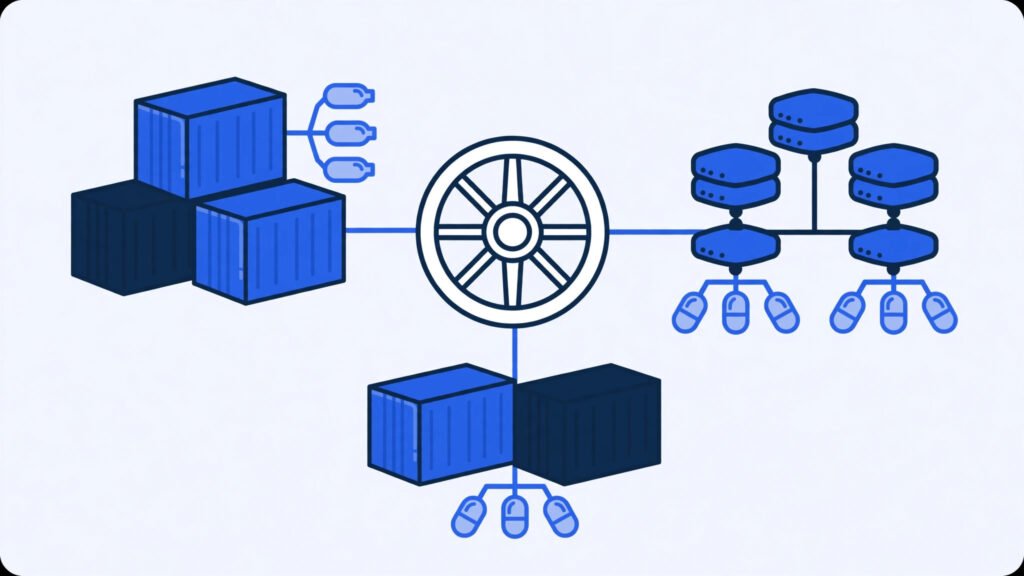
What runs on the control plane? The API server (the front door — every kubectl command talks to it), etcd (the cluster’s source of truth, storing all state), the scheduler (decides which node a Pod runs on), and the controller manager (runs controllers such as the Deployment controller and the Node controller). The cloud controller manager connects to the cloud provider for load balancers and storage. Know the four core components and one sentence each — that is enough for most interviews.
What runs on a worker node? The kubelet (the agent that talks to the API server and makes sure the node’s containers are running as declared), the container runtime (containerd in modern clusters), and kube-proxy (maintains the network rules that make Services work). A node that loses its kubelet stops reporting in, and the control plane eventually reschedules its Pods elsewhere.
How does the scheduler decide where a Pod goes? It filters nodes that cannot run the Pod (not enough CPU or memory, a taint the Pod does not tolerate, a node selector that does not match), then scores the survivors and picks the best. Resource requests matter here: the scheduler uses the Pod’s *requests*, not its actual usage, to decide if a node has room — which is why setting requests honestly is a scheduling decision, not a performance tweak.
What is etcd, and why does it matter? A distributed key-value store holding the entire desired state of the cluster. If etcd is lost without a backup, the cluster’s state is gone. That is why production clusters run etcd with three members and regular snapshots, and why you never edit etcd directly in an interview answer — you go through the API server.
Scheduling, Resources and Scaling
What is the difference between a request and a limit? A request is what the Pod is guaranteed — the scheduler uses it for placement, and the kubelet reserves it. A limit is the maximum the Pod may use; exceed the CPU limit and the Pod is throttled, exceed the memory limit and the container is killed with an OOMKilled status. Set requests to what the application actually needs and limits to what it may safely burst to. A Pod with no requests can be scheduled onto a node that cannot feed it, and a Pod with a memory limit far above its request is the usual cause of mysterious OOM kills.
How does a Horizontal Pod Autoscaler work? It watches a metric — usually CPU or memory utilisation, or a custom metric — and scales the number of replicas up or down to keep the metric near a target. It changes replica counts, not Pod sizes; resizing Pods is the Vertical Pod Autoscaler’s job. The HPA needs resource requests set on the Pods, because utilisation is measured as a percentage of the request — without requests, the HPA has nothing to divide by.
What is a taint, a toleration, and an affinity? A taint repels Pods from a node unless the Pod tolerates it — the standard way to keep general workloads off dedicated nodes, such as GPU nodes. A toleration is the Pod’s permission to be scheduled on a tainted node. Affinity is the softer, positive side: node affinity prefers (or requires) nodes with certain labels, and Pod affinity or anti-affinity prefers Pods to run near, or away from, other Pods — the usual way to spread replicas across availability zones.
Networking and Storage
How does a Pod get its IP, and can you rely on it? Each Pod gets an IP from the cluster’s Pod network when it starts, and no — you cannot rely on it. Pods are recreated with new IPs, so Services and DNS names are the stable addresses. A Service gets a stable ClusterIP and a DNS name of the form my-service.my-namespace.svc.cluster.local, and kube-proxy routes traffic to whichever Pods currently back it.
What is an Ingress, and how is it different from a LoadBalancer Service? A LoadBalancer Service gives you one external IP for one Service. An Ingress is a layer-7 router: one external entry point that routes by hostname and URL path to many Services, with TLS termination in one place. In practice most clusters run one Ingress controller (such as NGINX Ingress) behind one LoadBalancer, and everything else goes through Ingress rules.
What is a PersistentVolume, and how does a Pod claim one? A PersistentVolume (PV) is a piece of storage provisioned in the cluster. A Pod does not claim storage directly; it creates a PersistentVolumeClaim (PVC), and Kubernetes binds a matching PV to it. A StorageClass automates provisioning — a PVC that names a StorageClass gets a PV created on demand by the cloud provider or storage driver. The interview point is the separation: Pods ask for storage by class and size, and the cluster decides where it comes from.
Troubleshooting Scenarios
A Pod is stuck in Pending. What do you check? Run kubectl describe pod <name> and read the Events section first. The usual causes: no node has enough CPU or memory free (check requests against node capacity), the Pod’s image cannot be pulled (ImagePullBackOff — wrong image name, missing registry credentials, or a private registry without an imagePullSecret), a node selector or affinity that matches nothing, or a PersistentVolumeClaim that cannot be bound. The Events section tells you which one in plain language — interviewers want to hear you start there, not guess.
A Pod is in CrashLoopBackOff. What do you do? Read the logs first: kubectl logs <pod> --previous shows the previous crashed container’s output, which is where the error usually lives. Common causes are an application that exits on start (bad config, missing environment variable, a port already in use), a failing liveness probe that kills a healthy container, or a container that needs more memory than its limit allows. Check the exit code too — exit code 1 is an application error, 137 is an out-of-memory kill, 139 is a segmentation fault.
A Service exists but requests time out. What is wrong? Check in order: does the Service have endpoints — kubectl get endpoints <service> — because a Service with no endpoints means the selector matches no Pods, usually a label mismatch between the Service and the Deployment. If endpoints exist, check the Pods are actually ready (a failing readiness probe removes a Pod from the Service), then check the container port matches the Service’s targetPort, then check NetworkPolicies are not blocking the traffic.
A Deployment rollout is stuck. How do you investigate? kubectl rollout status deployment/<name> tells you what it is waiting for, and kubectl describe deployment shows the ReplicaSets. The usual story: the new Pods never become ready, so the old ReplicaSet stays. Look at the new Pods’ events and logs — a bad image, a failing readiness probe, or a resource request that no node can satisfy are the three usual causes. To recover, kubectl rollout undo deployment/<name> rolls back to the previous ReplicaSet.
Security and Good Practice
How do you keep secrets out of your manifests? With Kubernetes Secrets, mounted as environment variables or files — never committed to Git in plain text. Secrets are base64-encoded, not encrypted, by default, so in production they should be encrypted at rest in etcd and ideally pulled from an external secrets manager. The interview answer that scores is the one that says “base64 is encoding, not encryption” without being asked.
What is RBAC, in practice? Role-Based Access Control: Roles grant permissions inside one namespace, ClusterRoles grant them cluster-wide, and RoleBindings and ClusterRoleBindings attach them to users, groups or ServiceAccounts. The principle is least privilege — a CI pipeline’s ServiceAccount gets permission to deploy to one namespace, not to read Secrets cluster-wide. ServiceAccounts are also how Pods authenticate to the API server, and every Pod gets a token for its ServiceAccount by default.
What is a NetworkPolicy? A firewall rule for Pods: by default all Pods can talk to all Pods, and a NetworkPolicy restricts that — for example, only the frontend Pods may reach the database Pods, on one port. It only works if the cluster’s network plugin enforces policies, which is a detail worth mentioning.
FAQ
How should I prepare for a Kubernetes interview? Build a small cluster — minikube or kind on your laptop — and do the things, not just read about them: deploy an application, expose it, break it, read the events, fix it. Our Kubernetes Tutorial for Beginners walks through exactly that setup, and the CKA Certification Guide 2026 turns the same skills into a credential.
Do I need the CKA to pass a Kubernetes interview? No, but it helps in two ways: it proves hands-on skill rather than theory, and preparing for it forces you to practise the commands — kubectl, YAML, troubleshooting — that interviews test. Experience running a real cluster counts for at least as much.
What is the difference between Kubernetes and Docker? Docker builds and runs containers on one machine; Kubernetes orchestrates containers across many machines — scheduling, networking, scaling and self-healing. You need both: Docker (or another runtime) to package the application, Kubernetes to run it in production. See our Docker Tutorial for Beginners for the container side.
How much Kubernetes do junior roles actually need? Enough to deploy an application, read Pod events and logs, and explain what a Deployment and a Service do. Senior roles add the rest: networking, storage, security, autoscaling and cluster operations. Say which level you are at honestly — interviewers can tell in one troubleshooting question.
Conclusion
Kubernetes interviews reward the same thing the job does: calm, systematic debugging and a clear mental model of how the pieces connect. Learn the objects — Pod, Deployment, Service, Ingress, ConfigMap, Secret, PVC — learn what the control plane does, and practise reading kubectl describe output until the Events section tells you the answer before you finish reading it. The questions above cover the ground most interviews walk; the tutorial and the CKA guide linked above are where you build the hands-on proof behind the answers.
—
—